HEAL Learning Platform: Description and User Guide
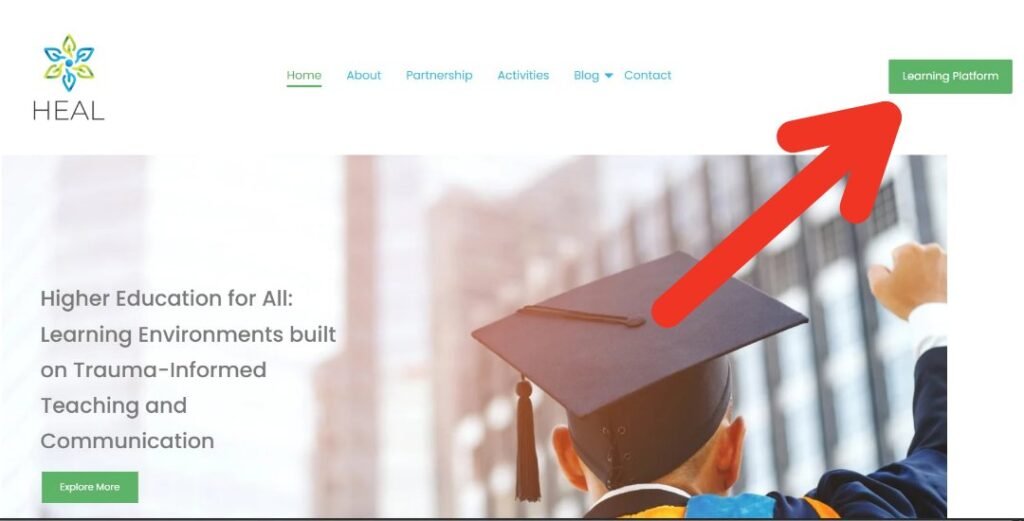
The HEAL Learning Platform is the project’s dedicated digital learning space, designed to provide higher education professionals and interested users with access to structured online courses, educational resources, quizzes, and self-assessment tools on trauma-informed teaching and communication. The platform is accessible via the “Learning Platform” button located at the top right of the HEAL website (as shown in the first image).
Through the platform, users can explore the full training programme, follow learning modules at their own pace, complete interactive activities, and strengthen their knowledge and skills in creating supportive and inclusive learning environments. All course materials are available online and can be accessed at any time after registration.
How to Access the Learning Platform To use the HEAL Learning Platform, users need to complete a simple registration process: 1.Visit the HEAL website and click on the “Learning Platform” button at the top right. 2.Create an account using your email address. 3.After registration, you will receive a verification email to confirm your account. (Note: The verification email may appear in your spam/junk folder, so please check there if you do not see it in your inbox.) 4.Once your email is verified, you can log in and access all available courses and materials.
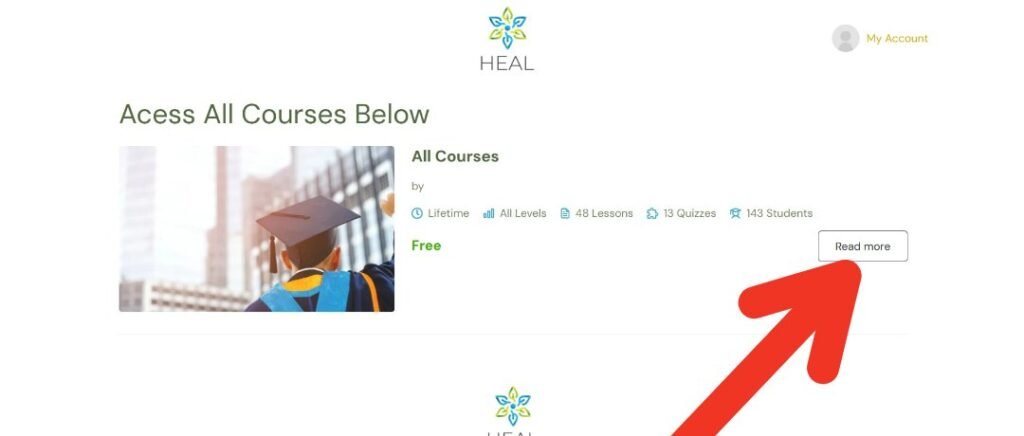
Step 1: Accessing the Courses – “Read More” After logging in, users are directed to the main course area, where all available courses are displayed. On this page, you will see the main training programme presented as “All Courses.” To continue, click on the “Read more” button next to the course. This will open the detailed course page and give you access to the learning content.
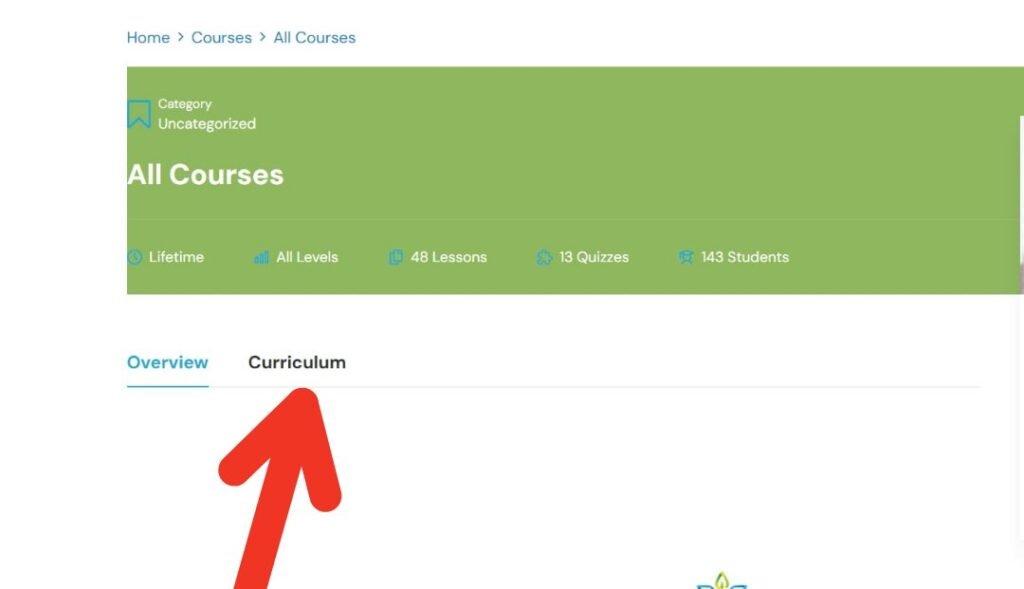
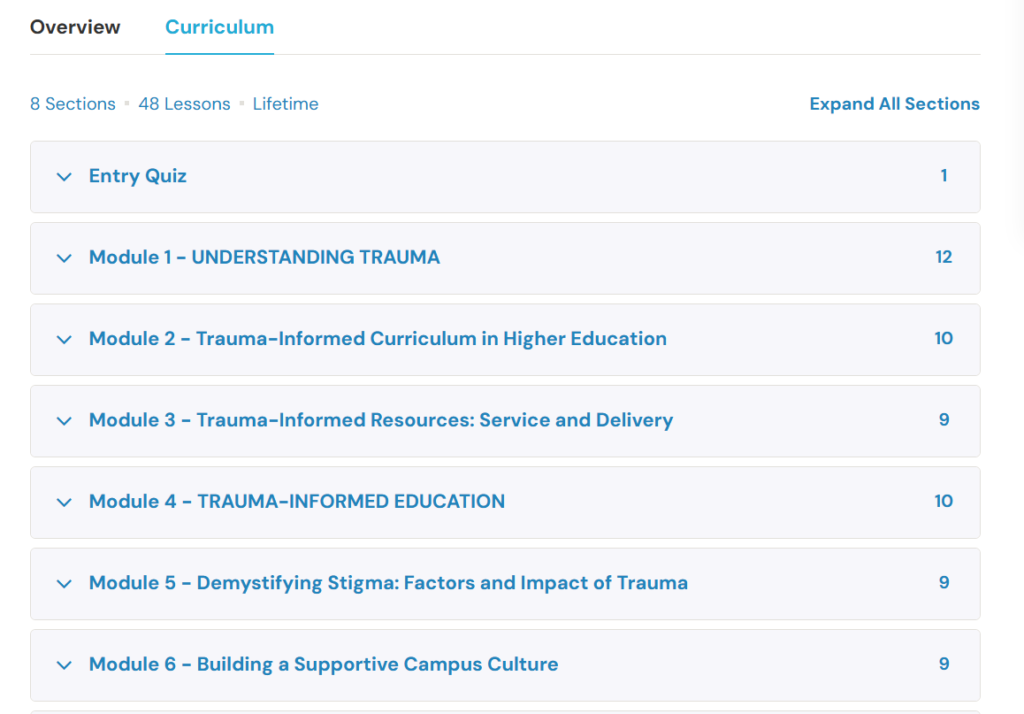
Step 2: Exploring the Course Structure – “Curriculum” Once you enter the course page, you will see two main sections: Overview and Curriculum. By selecting the “Curriculum” tab, you can view the full structure of the training programme. This section presents how the course is organised, including the different learning units, quizzes, and activities. It helps users understand the learning pathway and plan their study process.
Step 3: Accessing the Learning Modules
After opening the Curriculum section, all available modules and sections are displayed. These include: